
|
The Operators dropdown displays all the available operators
that can be applied within the Rule Line. The Operator is applied
to the next parameter and if applicable any selected Codeset.
|
If the Between Operator >< is selected then an additional parameter selection option becomes available in order to use the operator.
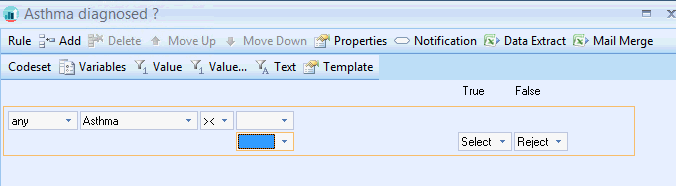
By default the between operator >< properties searches within the > and < operators. This is displayed at the base of the rule: The between operator can be altered further.

Changing the Between operator properties
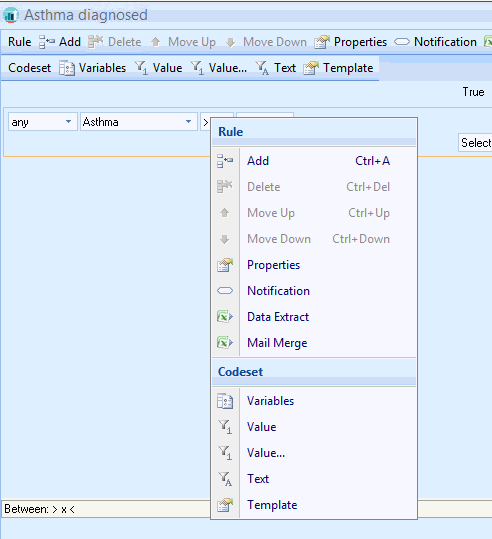
This will open up the Properties for the selected Rule Line.
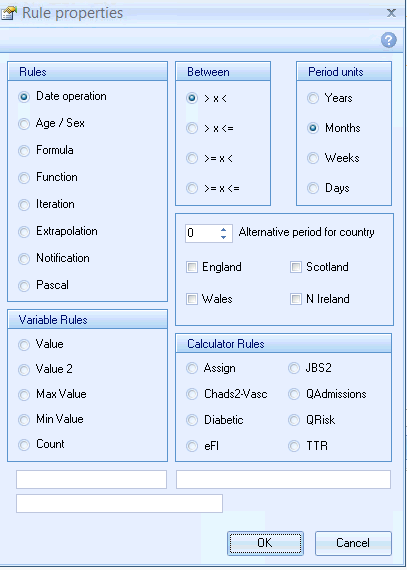
The Between properties of the Rule are set to the default setting > x <
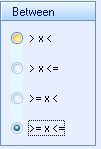 This will now display in the foot of the Rule Node:
