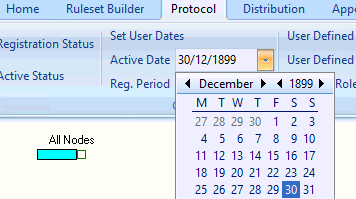
The Active Date works in the following way for the purposes of reporting:
A patient registered on or before the Active Date will be included in reports. A patient deducted before the Active Date will not be included.
The Active Date is used in conjunction with the Active Status control.
• Click on the Active Status control to activate the control.
• Set the Active Date using the drop down calendar.
• Click Save & Close from the menu to confirm the changes.