Categories (Workflow Properties)

A Workflow can be placed into categories
to assist end users when searching for Workflows \ Guidelines
Categories need to be predefined through the Administration
tile in the Workflow Categories section.
- Open up the Workflow and click on the Properties icon denoted by
the cog in the menu.

(Categories is shown in grey if no categories have been allocated.)
- Click within the categories window to display the category select
and category delete buttons. Denoted by 3 dots ...
to select and the red button to delete all categories.

- Click on the 3 dots button to ope up the list of available categories.
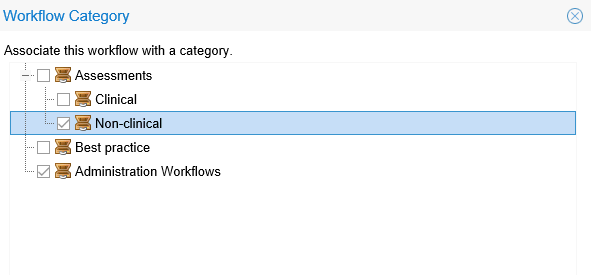
- Tick the required categories and click OK to close the Category
screen.
To amend the category list, open up the categories and tick\ untick
categories as required. To delete ALL categories, click the red delete
button.