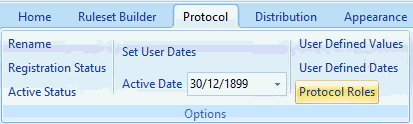
Protocol Roles (Also known as staff roles)
Protocol "staff" roles have the sole purpose of influencing the visibility (and thus the accessibility) of the various controls on a template associated with a pathway.
The defined staff roles are used as filters within a rule to determine the behaviour of data controls on the associated data entry template. Depending on the staff role of the pathway user a data control on the pathway template may be visible, disabled or invisible.
They have no influence, on the underlying rule logic and cannot be used to control the flow of the pathway and any alerts or lists that have been configured.
The current functionality of the role filters within Pathway Developer can be viewed as a simulation. The pathway is unable to automatically determine the staff role of the user logged into the clinical system, rather, a simple staff role configuration of the pathway prior to running it simulates the selected role. Future updates to 3rd party Consultancy systems will allow this feature to work in a Live environment.
Staff roles should be identified and specified at the design stage of the pathway. Examples of staff roles are Consultant, GP, Pharmacist.
Overall the steps involved in implementing staff roles are:
• Identifying the staff roles.
• Defining the Protocol\ staff roles in a new or existing pathway.
• Using staff roles as filters in a pathway to influence the template data controls.
• Configuring the display status of the template data controls for each staff role.