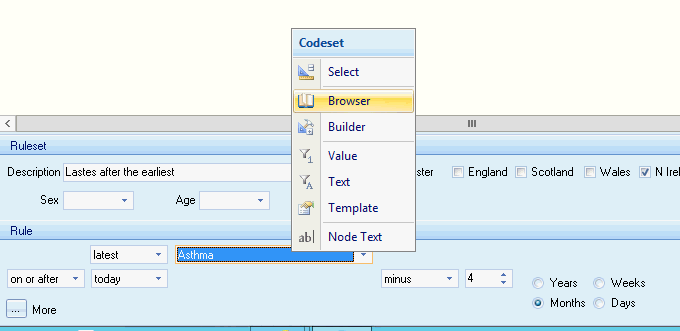
The Browser icon in the Codeset group items activates the Code search tool for a Rule Node containing a single Rule. This enables you to update the Codeset used in the selected Rule. The Code search screen defaults to the Terms settings within your pathway.
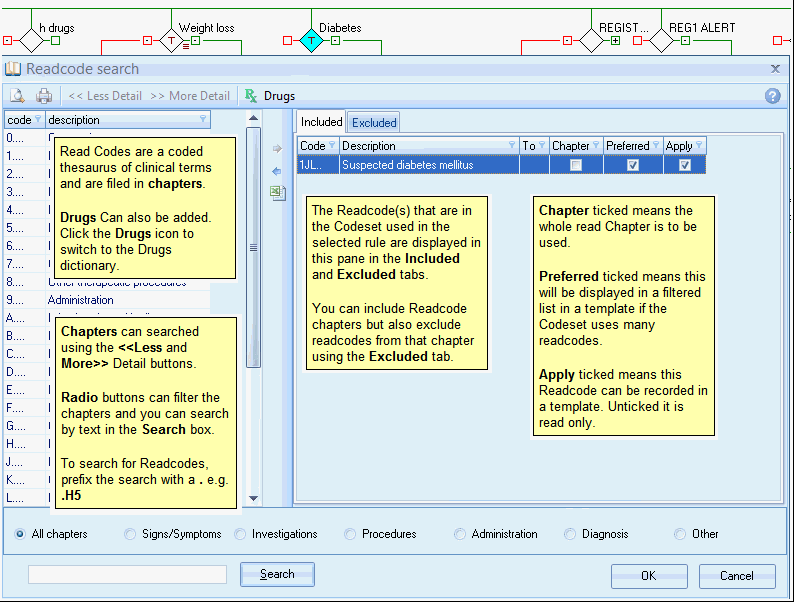
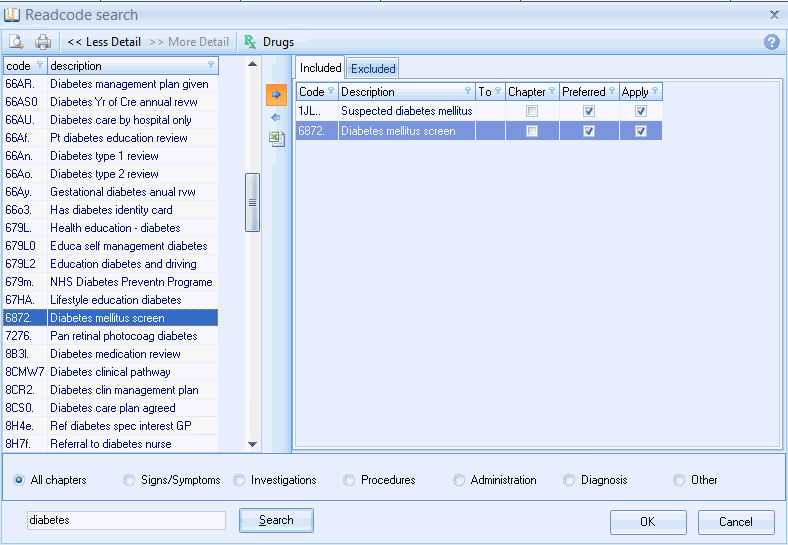
• Select a Rule Node in your pathway and click on the Browser icon. This will open the Readcode search (CTV or Snomed ) screen.
Overview. (Read Code search)
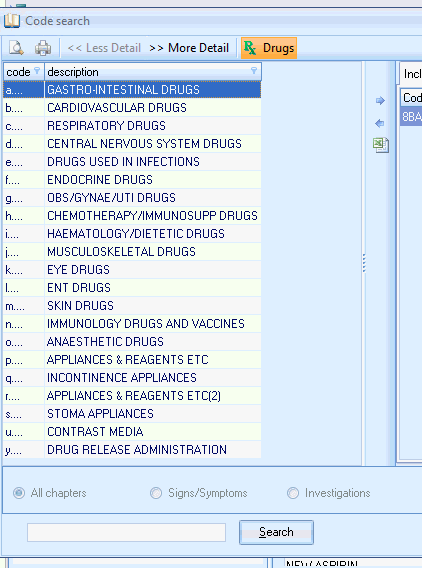
Clicking the Drugs icon opens the Drugs search screen.

Changing the Codeset.
Add\ Remove codes.
• Search for the Readcode using the Search buttons\ Radio Buttons and\ or the Search entry box.
• Highlight the code you wish to use. Click
the Insert arrow to move it into
the Included \ Excluded tabs. 
• Remove clinical codes by highlighting
the code in the Included \ Excluded tab and click the Remove
arrow. 
• Repeat as required and click OK once complete.
if you use the Browser button to build rules using the Simple method, then this changes the code used in the Codeset in the selected window: