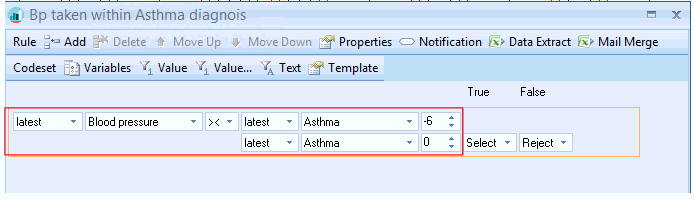
A Rule Line can have up to 9 parameters and operators
Parameters and operators are dynamic in the form of drop down fields that appear\ disappear based on your selection of controls.
As you select from the drop down menus, the parameters and operators you add may prompt for further parameters and operators in order to build your Rule Line.
The end result of your Rule line will be either True or False. The True or False result will then allow you to determine the next steps of the Rule.
There is no limit to the number of Rule Lines you can add in a Rule Node. Functions can help manage complex Rule Nodes by reducing the amount of Rules Lines.
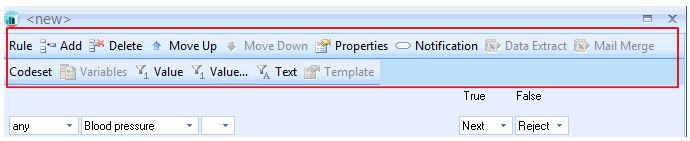
Default view for a New Rule node:

Parameter and operator types
| Parameters dropdown | Codeset dropdown | ||
 |
 |
||
| Operators dropdown | 2nd Parameter dropdown | ||
 |
 |
||
| 2nd Codeset dropdown | Period Units | ||
 |
 |
||
| True False actions | |||
 |
You also have access to the Rule and Codeset menus when you are creating rule lines.